
Save staff time
Give guests answers to routine questions, so reception can focus on the people in front of them.
GuestBridge brings guest chat, service requests, staff handoff, and hotel extras into one workspace. AI answers from your hotel information. Requests reach the right team, and staff step in when needed.
No app to install. Guests chat from a website widget or a room QR code.
Give guests answers to routine questions, so reception can focus on the people in front of them.
Answer hotel questions around the clock. Send service requests to the right department for staff to handle.
Help guests discover and buy your hotel extras, with prices and availability controlled by your team.
A free 14-day pilot lets you see how it works with your guests and your team. There is no obligation to continue after the test.
Request your pilot by email. We will confirm the setup and start date with you.
We configure your own guest interface with your hotel information, services, and branding. Your staff get access to the dashboard.
Try real questions and service requests. Check how requests reach departments and how staff take over chats.
Flag inaccurate answers and setup issues so they can be corrected during the test. Review requests, response times, feedback, and extras in your pilot report.
A shared inbox gives each request a department, an owner, and a status. Staff can reply to guests directly and track the first response against your service targets.
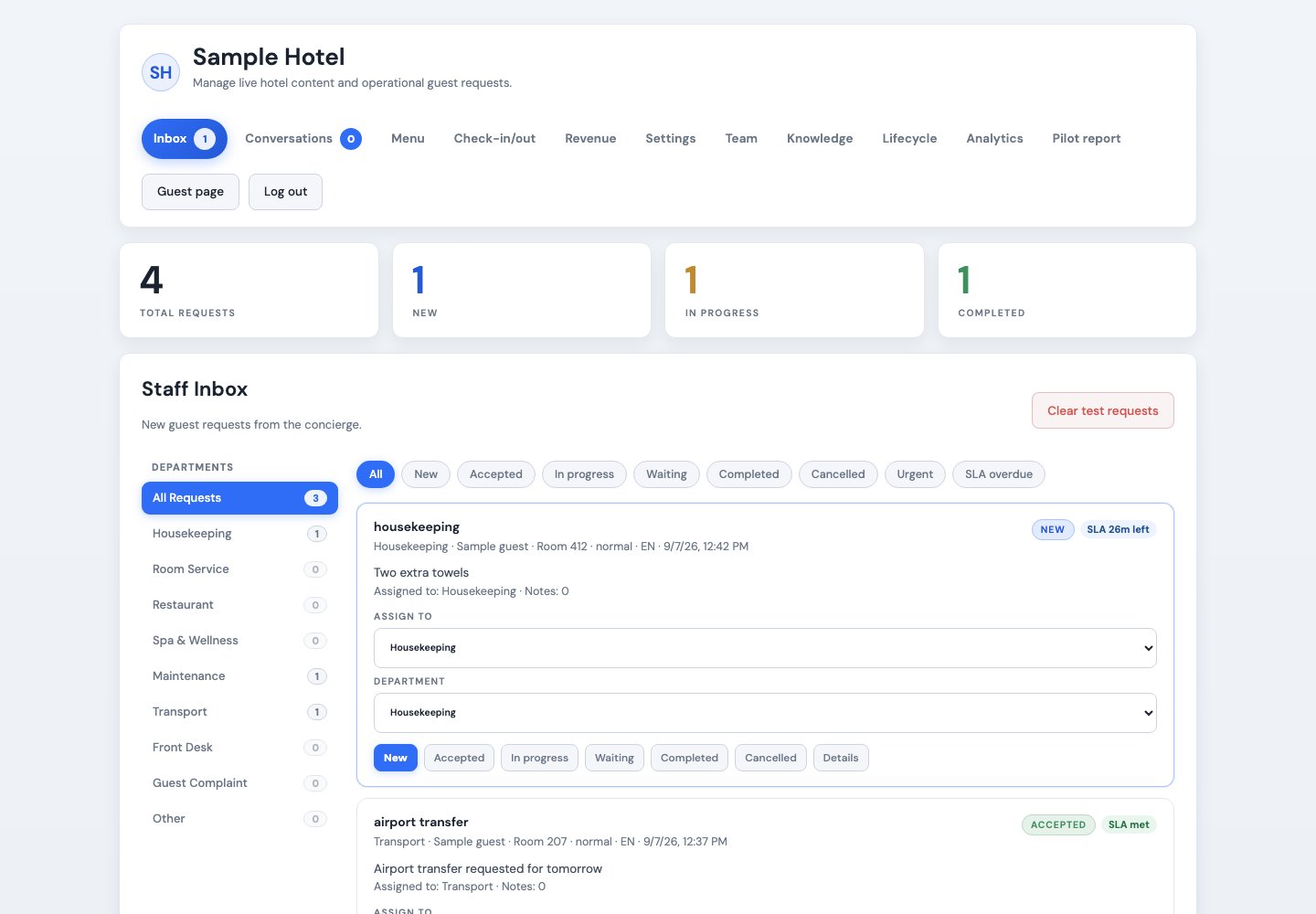
Keep work movingRoute requests, track status, and see which replies need attention.
Stay in controlTake over conversations and update the hotel knowledge guests rely on.
See the valueReview analytics, paid extras, and digital check-in/out. Print a report for your pilot dates.
Choose the channels and services that suit your hotel. Your team sets the prices, access, and service rules.
Guests open the concierge from the hotel website, a direct link, or room and location QR codes. No guest app is required.
Guests get answers from the facts your team provides and can make supported requests in their own language.
A guest can ask for a person without creating a service ticket. Staff join the conversation, reply directly, and can return it to automation.
Send confirmed requests to the right department. Each request has an owner, a priority, a status, staff notes, and a history guests can follow.
Staff see response countdowns and breaches. Hotels can configure escalation rules and review response performance.
Email staff when new requests arrive and invite teammates. Connect an email provider to send stay messages with guest consent checks.
Offer extras with your own prices, tax, stock, and daily limits. Guests can pay through Stripe Checkout or choose a room charge for staff to record.
Guests fill in arrival or departure forms for staff to review. Required fields, status changes, and a change history help your team keep track.
Schedule messages before, during, and after a stay. Guest consent is checked, sends are logged, and repeat sends are blocked.
GuestBridge can save staff time and help guests buy more of what your hotel offers. Set your own extras, prices, stock, and daily capacity. Track online payments and room charges separately.
Examples only. Your hotel chooses what is available. Room upgrades and other requests remain subject to staff review; GuestBridge does not change PMS bookings.
Keep guest information up to date. Supported property systems can supply selected hotel and booking details through a read-only connection.
See how many requests each team handles, how quickly staff respond, what guests rate, and which extras sell.
Give each hotel its own settings, guest information, requests, staff access, and reports.
Import selected hotel facts and give staff verified booking context. These connections do not book rooms, issue keys, or write changes back to your property system.
Import hotel facts and give staff verified booking context, using access supplied by your hotel.
Import hotel facts and give staff verified booking context, using access supplied by your hotel.
This demo uses a sample hotel. Ask a practical hotel question or send a simple service request.
Tip: try “What time is check-in?” or “Can I get extra towels to room 204?”Open the full guest page ↗
GuestBridge can be configured for different property types, services, and staff teams.
Provide guests with clear hotel information and an additional way to contact staff.
Organize guest questions and service requests across a larger property.
Give guests access to practical property information and staff contact options.
Maintain separate settings and teams for each property.
Test the fit before you decide. Pricing for continued service depends on your property, setup, and selected services.
Share your property size, current systems, and the guest services you want to support. We will reply with the pilot setup and pricing for continued service.
Start a 14-day pilotTry your own guest interface and staff dashboard. Review the results, then decide whether to continue.